Onboarding Hub - Internal Tool
Onboarding Hub is an internal tool I built from scratch to transform TransferZ's partner onboarding process into a single, trackable pipeline. Unlike the other two projects in this portfolio, this wasn't a design exercise — it's a real tool, built with no-code, adopted company-wide, and actively used by the onboarding team today.
Introduction
Table of contents
Details
Design Challenge
As the person responsible for onboarding new partners at TransferZ, I was constantly fielding the same question: "What stage is X partner at?" The answer lived in my head, in scattered spreadsheets, and in Confluence pages that not everyone had access to. There was no single place where the team could see the full picture — who was being onboarded, where they were stuck, and what still needed to happen.
The problem wasn't just visibility. It was that every part of the process — tracking stages, sending emails, managing documents, updating guides — lived in a different tool with no connection between them.
How might we centralize a fragmented onboarding process into one place the whole team could rely on — without adding more overhead to maintain it?
What I Built
I built the Onboarding Hub in Lovable: a purpose-built internal tool that centralizes the entire partner onboarding pipeline in one place.
Each partner has its own page with:
A stage-by-stage checklist for the onboarding manager
A Confluence tracker to monitor guide progress
A comments section for team notes
A full activity log of every status change
The goal wasn't to replace every tool the team uses — it was to create one place where anyone could get the full picture without having to ask me directly.
Information Architecture
The tool is structured around a fixed left-hand sidebar with six top-level sections, plus one nested detail view:
Dashboard — the pipeline overview: all partners, their current stage, and progress, with quick filters by stage
Partner Detail Page (reached by clicking into any partner from the Dashboard) — stage tracker, onboarding checklist, Confluence tracker, comments, and partner details, all scoped to one partner
Documents — the document library, filterable by stage and tagged by category
Email Templates — bilingual templates organized by stage, with one-click copy
Notifications — a running log of assignments and updates
Profile — account info, password management, and partners assigned to you
Settings — admin configuration, split into three tabs:
Stages — add, reorder, recolor, or delete pipeline stages
Team — manage team members and their roles (Admin/Member)
Configuration — PSM assignments, integration types, per-stage checklist items, and Pipedrive integration setup
This structure keeps day-to-day work (Dashboard, Partner Detail, Documents, Templates) separate from the tool's underlying configuration (Settings) — so the people using the pipeline daily never need to touch the settings that define how it works, and the admin work of adjusting the pipeline never clutters the working views.

Key Decisions
Three decisions shaped how the hub works:
1. The pipeline is fully configurable. Stages, colors, order, and the tasks inside each stage can all be managed from Settings without touching any code. The tool adapts to the process, not the other way around — important for a process that was still evolving as the team learned what onboarding actually needed to look like.
2. Email templates are organized by stage, in both English and Spanish, with one-click copy. Switching between tabs and translating on the fly to find the right template was its own source of friction — this decision removed a small but constant tax on every partner interaction.
3. Pipedrive integration automatically adds new partners from closed deals directly into the dashboard, removing a manual step that was easy to forget — and the exact kind of silent failure point that made the original process unreliable.
Screens
The tool spans eight core views, from the day-to-day pipeline work to the admin configuration that makes it adaptable:


Partner Dashboard — The pipeline at a glance: every partner, their current stage, and progress, with quick filters by stage and at-a-glance stats (added this month, assigned to you, total onboarded). This is the screen that replaced "what stage is X partner at?" as a question anyone had to ask me directly.
Partner Detail Page — Each partner gets their own page combining a stage tracker, an onboarding checklist, a Confluence tracker for guide progress, and a comments thread for team notes — so the full history and status of one partner lives in a single view instead of scattered across tools.


Document Library — Onboarding documents and resources, filterable by stage and tagged by category (Onboarding, Training), so guides and reference material are findable without digging through Confluence.
Email Templates — Templates organized by stage with English/Spanish toggles and one-click copy — turns a repetitive writing task into a lookup-and-send action.
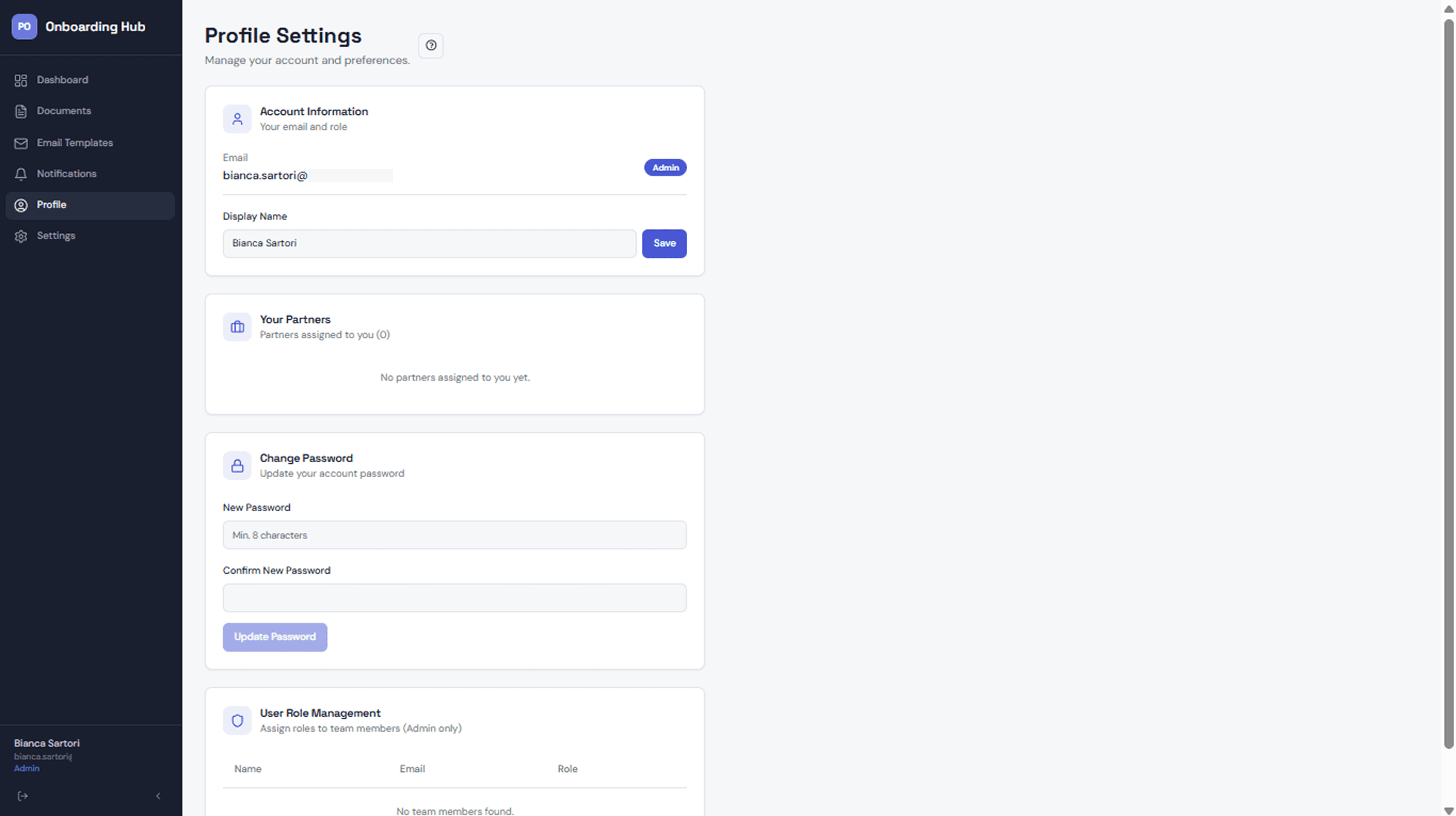

Profile — Account settings, password management, and a personal view of partners assigned to you — keeps individual accountability visible without needing a separate reporting view.
Settings / Stages — The core of the tool's flexibility: pipeline stages, their order, and their color coding are fully editable here, with no code required to change how the pipeline itself works.
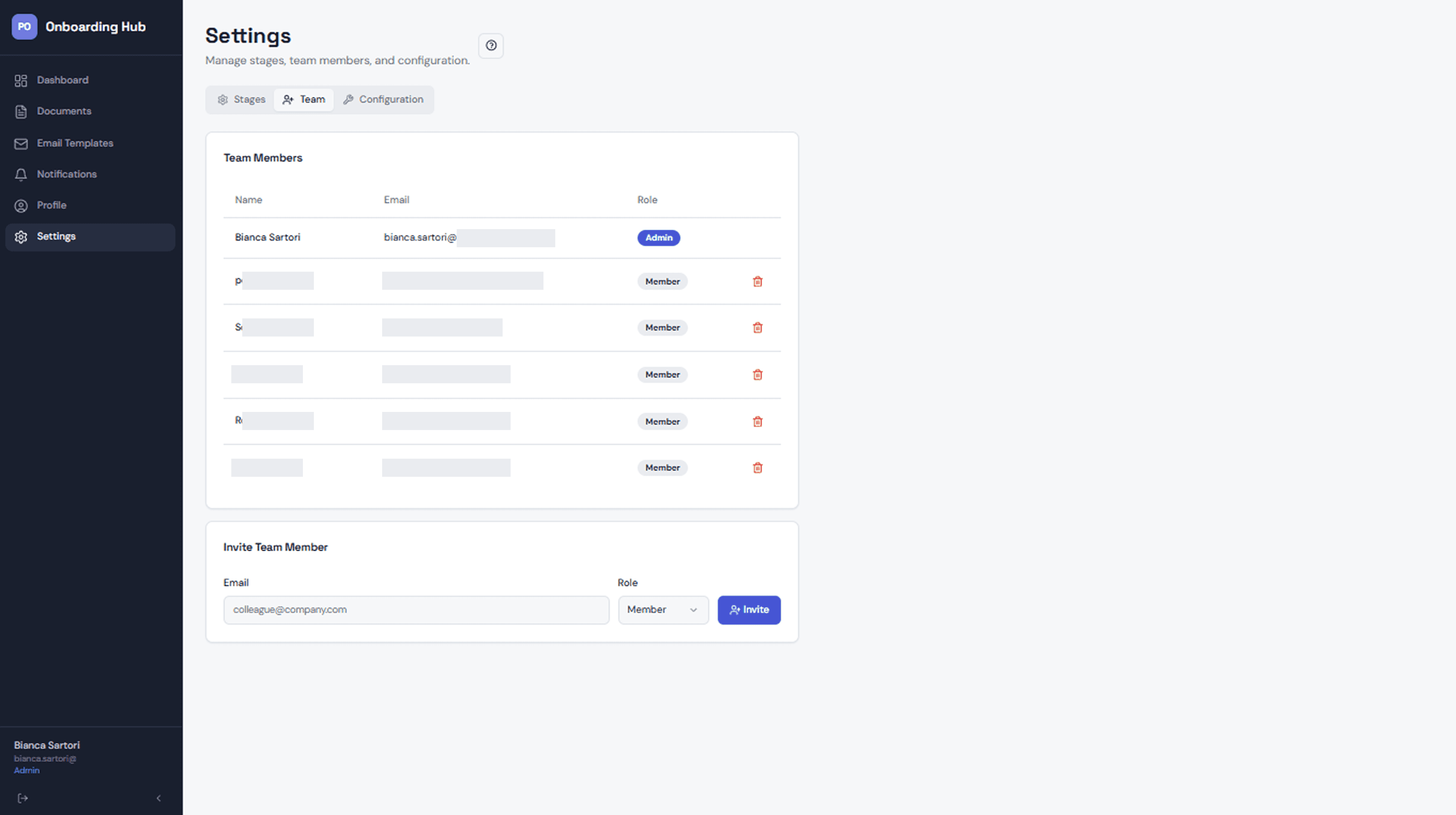

Settings / Team — Team member management with role-based access (Admin/Member), so onboarding new team members or adjusting permissions doesn't require developer involvement.
Settings / Configuration — Deeper configuration: Partner Success Manager assignments, integration types, per-stage checklist items, and the Pipedrive integration setup (pipeline ID, stage ID) that automatically imports new partners from closed deals.
Real Impact
The hub is actively used by the onboarding team at TransferZ. The question "what stage is X partner at?" now has a self-serve answer — anyone with access can check the dashboard without pulling the onboarding lead into the loop. Onboarding managers work through stage checklists directly in the tool, and email templates have reduced the time spent drafting repetitive communications from scratch.
What started as a personal organization system became shared infrastructure for the team — which is the best outcome a tool like this can have.
Constraints & What I’d Do Next
This was built as a working tool, not a design exercise — which means some decisions were made for speed rather than polish. There's no mobile view, the notification system is basic, and a few flows (like onboarding a new team member) still require admin intervention that could be more self-serve.
The most meaningful next step would be deeper Pipedrive integration — not just pulling partners in, but pushing stage updates back so both systems stay in sync without manual effort. I'd also want to run proper usability sessions with the team to surface the friction points I've normalized by being too close to the tool.

thank you!
Check my other work!
A fresh reading experience that helps curious readers discover, track, and share the books they love.

Goodreads redesign
A friendly digital companion designed to help pet parents keep daily care simple, connected, and joyful.

MiMascota